 CONFESS
- Home
- iPhone Duo
Version 2.0 · Available now
Confess. for iPhone Duo.
Open the foldable iPhone like a book and the examination of conscience fills the whole inner display. Close it and Confess. works on the outer screen the way it does on any iPhone.
Free. iPhone Duo support is in version 2.0, on the App Store now.
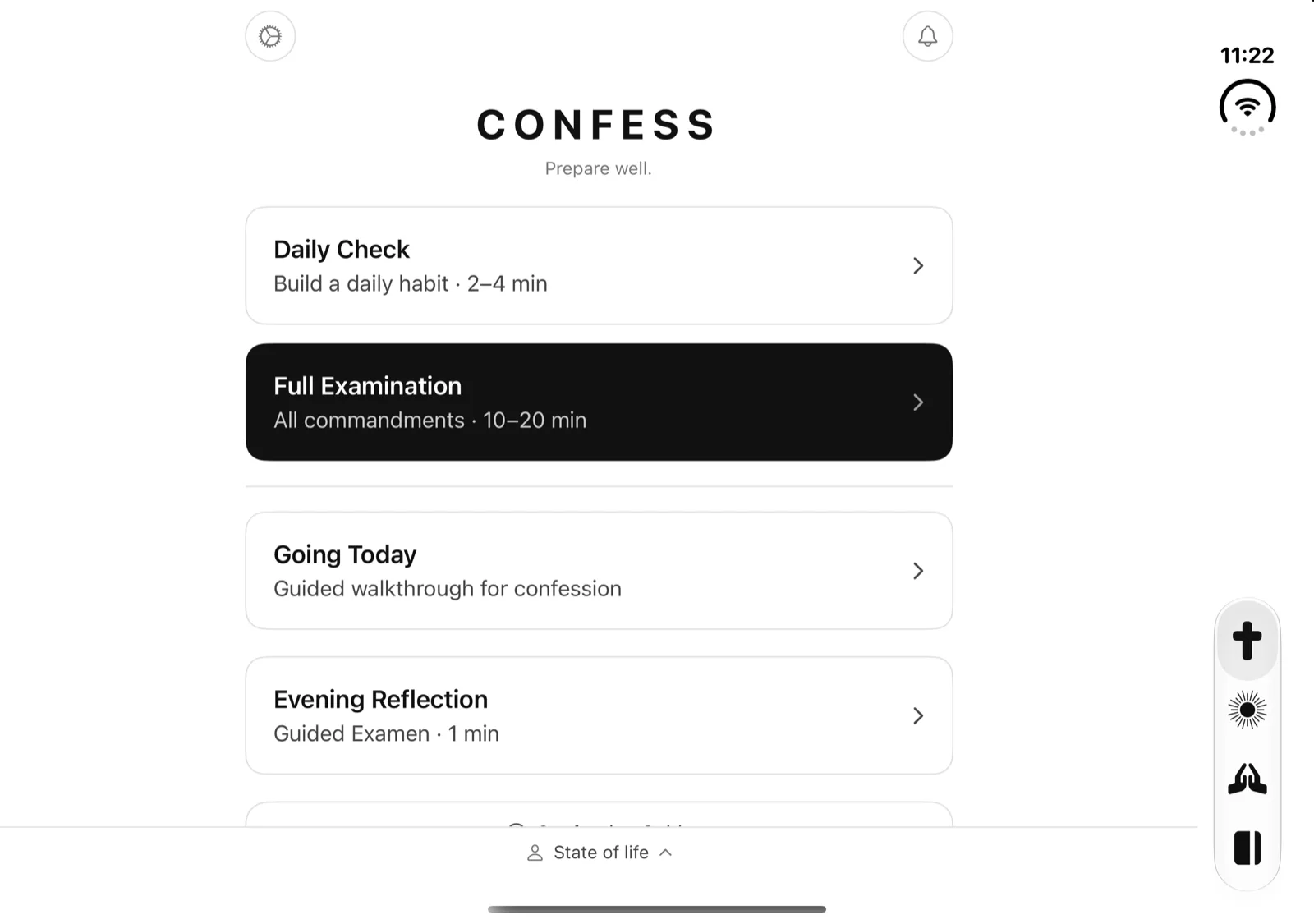
Open, it uses the whole page.
Opened like a book, the Duo’s inner display is wider than it is tall. Confess. fills all of it. The four tabs move into a vertical bar on the right edge, under the clock, and the questions, prayers and readings sit in a centered column about the width of a printed page, so lines never stretch across both halves of the screen.
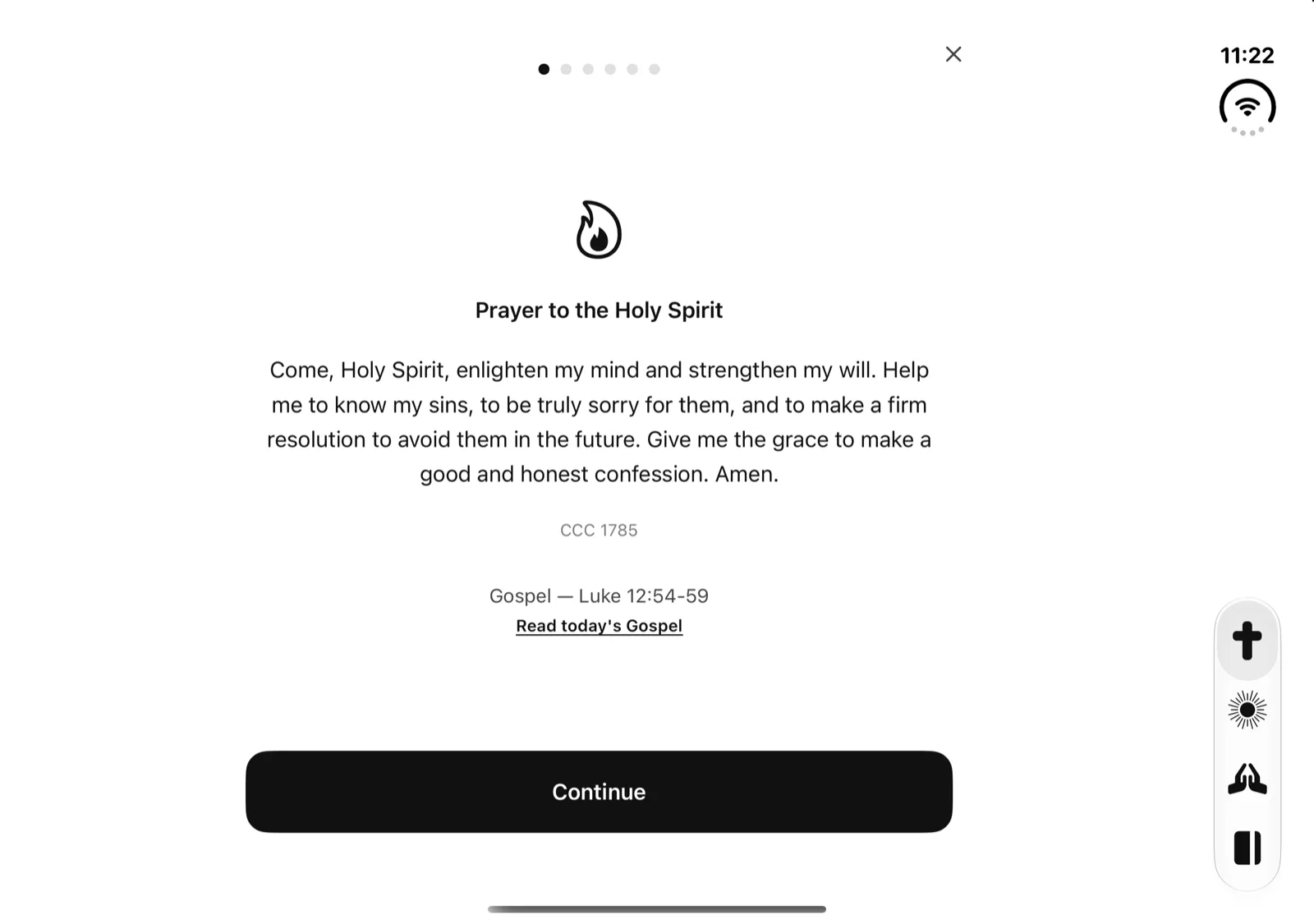
Going TodayThe walkthrough for the Saturday line opens with the Prayer to the Holy Spirit, set large in the middle of the inner display. 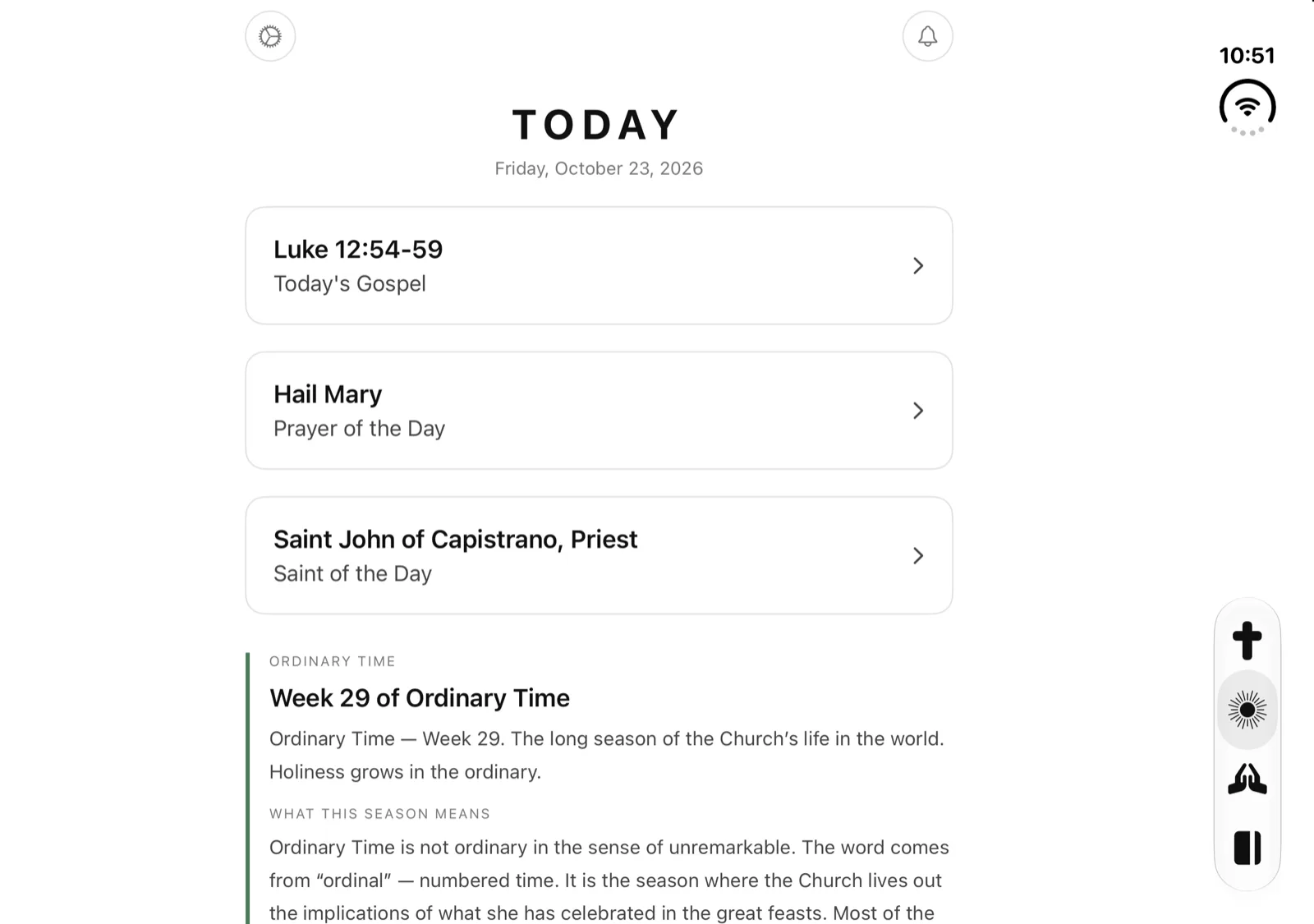
TodayThe day’s Gospel, prayer and saint, then the liturgical season, all in one readable column. 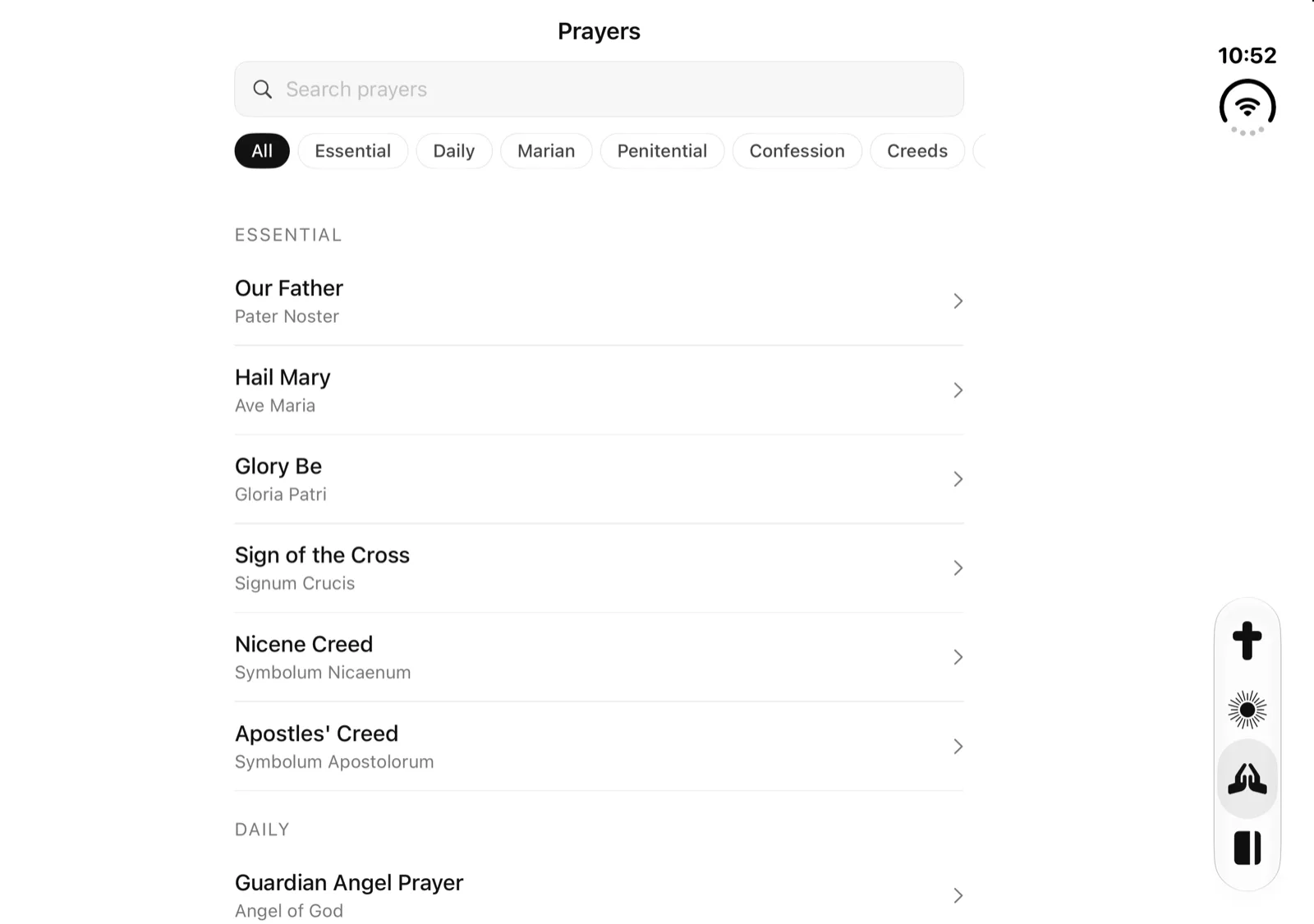
PrayersSearch and the category filters sit above the library. The filter row ends where the search field ends. HomeDaily Check, Full Examination, Going Today and the Evening Reflection, with the tabs a thumb’s reach away on the right.
Closed, it’s an iPhone.
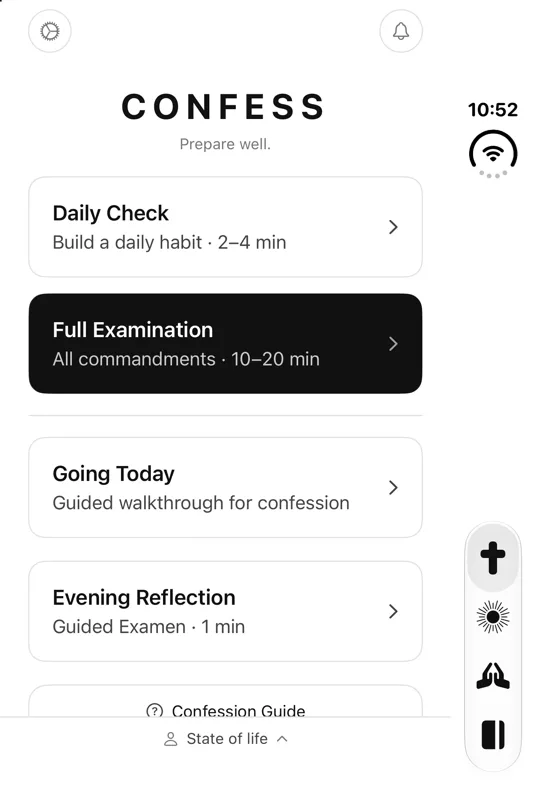
On the outer display Confess. runs in portrait, like on any iPhone, and stays in portrait when you turn it. The tab bar stands upright along the right edge, under the clock and camera, and every header, close button and the State of life bar stays clear of them.
HomeThe three examination modes, one tap from the outer screen. 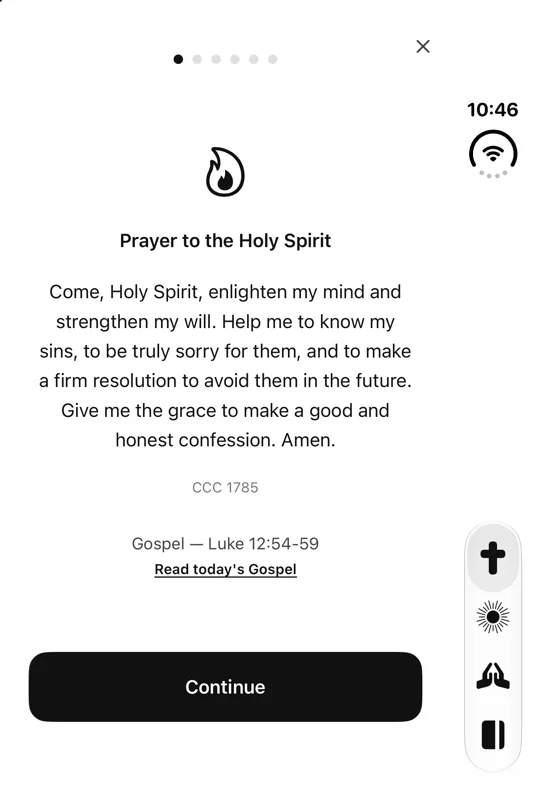
Going TodaySmall enough for the pew. The close button stays clear of the camera. 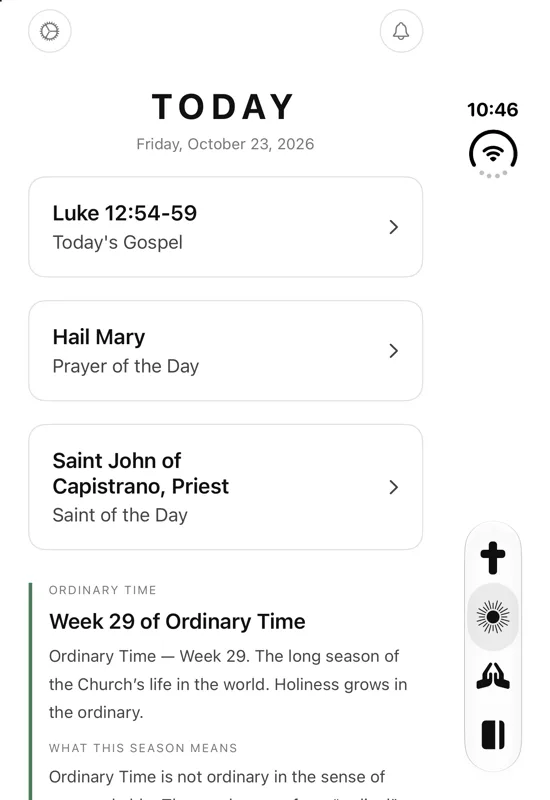
TodayThe Gospel and saint of the day without opening the phone. 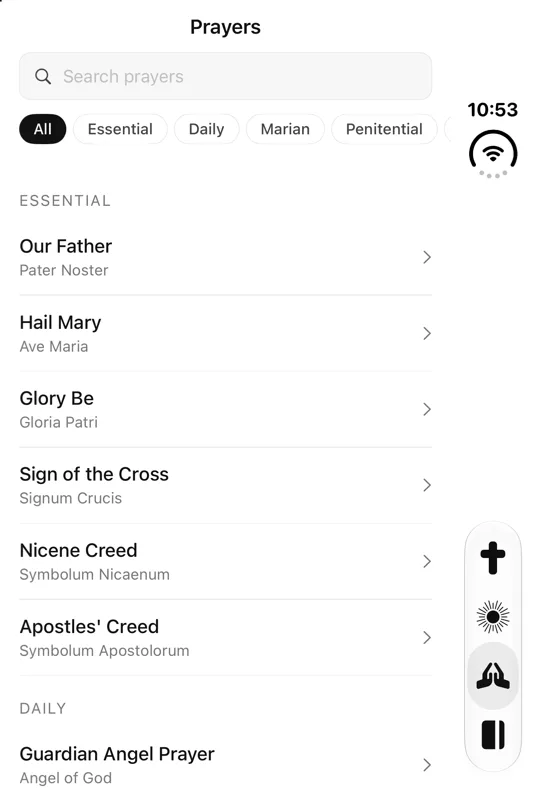
PrayersThe filter chips scroll inside the screen and stop short of the clock.
Fold it whenever you like.
Confess. resizes as the Duo opens and closes. What you were doing stays put.
- Mid-entryFold or unfold with a new journal entry open and the sheet stays, with what you typed. Closed, Cancel and Save stack in the side bar.
- Half openIn the partly open book pose the layout matches fully open. Lists and prayers run across the fold.
- UprightTurn the open Duo so the fold runs across and the inner display shows the same column in portrait.
- Touch IDApp Lock names the sensor your phone has, so on iPhone Duo its messages say Touch ID.
iPhone Duo questions
Does Confess. work on iPhone Duo?
Yes. Version 2.0 is built for iPhone Duo: it fills the inner display when the phone is open and runs on the outer display like on any iPhone when it is closed. Version 2.0 is available now on the App Store as a free update.
What changes when I unfold it?
Confess. grows to the whole inner display. The four tabs move into a vertical bar along the right edge, under the clock, and questions, prayers and readings stay in a centered column about the width of a page. A new journal entry you are writing stays open, with what you typed, while you fold or unfold.
Does it work when the Duo is closed?
Yes. On the outer display Confess. runs in portrait like on any iPhone, with the tab bar along the right edge under the clock and camera. The examination, Going Today, prayers, journal and the Evening Reflection all work there.
What about the half-open book pose?
Partly open, Confess. looks the same as fully open. The fold runs down the middle of the column, so lists, prayers and the wide Continue button cross it. Everything still works.
Does it rotate?
Closed, Confess. stays in portrait, like on other iPhones. Open, the inner display follows the way you hold it: landscape like a book, or upright with the fold running across, and the layout fits both.
Does anything change on my regular iPhone?
No. On other iPhones, version 2.0 looks and works the way Confess. always has, in portrait. On iPad, 2.0 also turns to landscape.
Is it still free and private on iPhone Duo?
Yes. It is the same app: free, with no account, no ads and no tracking, and your examinations, journal and notes are encrypted on the phone with AES-256-GCM.
Walk out lighter.
Free on the App Store, for iPhone and iPad. iPhone Duo support is in version 2.0, available now.
 Scan with
your iPhone.